Thursday, November 3, 2011

Which twin is older?


Here's an exchange my wife and I have with strangers all the time that I can't wrap my head around.
"Are they twins?"
"Yes"
"Which twin is older?"
Seriously, they're born on the same day (unless one is born before midnight and one after midnight). One is not older than the other.

Let's say you share a birthday with a friend. You were born at 10am while he/she was born at 3pm. You don't consider yourself older than your friend, right? You're simply the same age and share a birthday. You're not 5 hours older than your friend.

Ok, I get that the real question is "Which twin was born first?"

To be honest, who was born first or second has zero relevance. This makes the question odd and intrusive (coming from a stranger).

Being the first born twin doesn't mean that one is larger, stronger, more mature, or whatever. It just means he/she came out first. It's like being the first user to post a comment on Internet articles. It doesn't make that comment any more relevant than the second, third, fourth, or a hundredth comment.

From a biological/medical/physiological point of view, it makes even less sense.

In a vaginal birth, the baby that's closest to the bottom at the moment of birth will be the first-born. In a c-section, the baby that's closest to the top will be the first-born.

This means that the question now becomes "What was the position of your babies in the womb at birth and what was your delivery method?"
Isn't that a bit personal and, quite frankly, none of anyone's business?

Now, I'm not the type of person who likes to create conflict. So I've developed a peaceful strategy for dealing with the question "which twin is older?". I just alternate my answer every time I get asked. Today, Aidan's older. Tomorrow, Ethan's older. The day after, it's Aidan's turn to be older again.

It's funny how despite who I say is older, the response is always "Yes, I knew it. He's definitely the older one. He looks so much wiser."

Friday, October 28, 2011

Twins Blog - Oct. 24, 2011 - "Fine"

The boys are approaching their first birthday. And I find it frustrating that I still can't answer the question "How are the boys doing?" which just a simple "Fine".

Truth is, they're not fine. Ethan is fine. Aidan is not really. So, they are not fine.

Aidan has some obvious developmental delay. He shows lots of spastic and reflexive behavior. We're told by several medical professionals that it's not too bad. Nobody can comfortably give us a diagnosis other than "developmentally delayed". At this point the diagnosis doesn't really even matter. It doesn't affect the treatment plan or outlook. Using an aggressive and frequent schedule of therapies, we hope to get his development back on track.

Ethan, on the other hand, is the typical cute baby. You know those babies you see on commercials and ads? He's one of those. Just happy all the time. A couple of months ago, he learned how to roll over and he's been doing that non-stop ever since. Lately, he's been able to maintain a sitting posture. He loves to bang things together, put them in his mouth, etc. He's very crafty in that he hides his pacifiers around his bed. We would always find 4 or 5 of them just laying around.
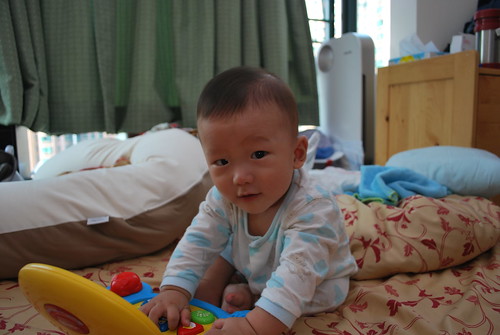
Aidan laughing uncontrollably Ethan with his "laptop"

Friday, July 8, 2011

Samsung Galaxy S II - Tips & Tricks

Pinch at the Calendar's month view to go into year view.

Pinch twice in the stock browser to see your other windows.

With the TouchWiz launcher, pinch at the homescreen or app drawer to go into thumbnail view.

With the TouchWiz launcher, navigate the homescreen or app drawer by tapping or swiping those little dots on the bottom.

In the call history (log) or contacts, swipe left to send SMS or swipe right to call the person.

Tap and hold the notification bar until the bottom shade disappears. This should take about 1 second. Then  swipe laterally to adjust screen brightness.

Press Home + Power button to take a  screenshot. Root not required!

Go to about:useragent in the stock browser to amend the user agent string. Note that the change only applies to the current window/session.

Go to [Settings > Accessibility] or [Settings > Call > Call answering/ending] to toggle on "The power key ends calls". You may also toggle on "Answering key" here to use the Home button for answering calls but that's a personal preference.

Go to [Settings > About phone] and spamming the "Android version" with taps will give you an Easter Egg.

In the Calculator app, slide down the number pad to reveal previous calculations.

Hold the Menu button to bring up contextual search (equivalent of pressing the Search button on other devices).

Press the Home button twice to bring up Voice Command.

Hold the Home button to bring up the 6 most recent apps as well as shortcut to the Task Manager.

In the Camera app, press the Menu button and tap Edit shortcuts to have quick access to up to 4 settings.

In the Camera app, use the volume rocker for digital zoom.

While watching a video with the default video player, press the Power button to lock the screen while keeping it on.

In the Camera app, you can tap the screen to focus on an area other than the center. Alternatively, you may frame the object you want to focus on in the center, tap and hold the on-screen shutter button and then move to reframe the shot to your liking. The focus will lock. Release the shutter button to take the shot. I find this to be faster than using tap-to-focus.

Pressing *#0*# in the phone dialer will bring up LCD test.

In the Email app, pinch to collapse all emails by date.

With the Samsung Keyboard, if you enable "Keypad sweeping", you can access punctuations by swiping laterally across the keyboard.

Personal app recommendations to improve usability.
Dolphin Mini. The stock browser supports hardware acceleration which helps with rendering speeds. But Dolphin Mini is no slouch in this area. I think the ability to permanently set the user agent string and to go full-screen greatly improves the browsing experience.
LauncherPro Plus. Fast and smooth animations. Useful and elegant looking widgets. Highly customize-able. I just find it better in every way than the Touchwiz launcher.
Widgetlocker Lockscreen. Allows you to place homescreen widgets on your lockscreen. Just like in HTC Sense 3.0, allows you to launch applications from the lockscreen.
SugarSync. Auto backup all your phone's photos taken with the cam to the cloud and have that auto sync with your PC.

Samsung Galaxy S II Review


3 words are used to describe the Galaxy S II on Samsung's product page: Vivid. Fast. Slim.
It's hard to disagree with Samsung. The screen is brilliant. Performance is blazing. And the device is so light and thin it is jaw dropping.


The device has been reviewed by many tech sites and bloggers already. So I'll try to keep from repeating things that have been combed over already.

Aesthetics
How thin and light the device is can't be overstated. You would almost begin to wonder if this was really a functional smartphone.

It's large in hand. Using this device with one hand is difficult at best.

There's no notification light. This won't bother people coming from another device without a notification light. But for those that are used to having a notification light, this omission is glaring.

Back battery cover feels extremely flimsy. Exercise caution when removing and attaching it. But this becomes a none issue once it's actually on the device. Also, it's been shown that the battery cover can actually be bent pretty far and still retain it's shape.

A common criticism is that Samsung phones feel cheap due to the amount of plastic used. Aside from the screen, most of it is indeed plastic. However, it certainly doesn't feel cheap. The device doesn't creak or flex. It feels very solid and high quality in hand.

Super AMOLED Plus screen is brilliant. Blacks are true blacks. Colors are saturated (maybe over-saturated to some). However, whites look more like grays. But it's not too noticeable without a side by side comparison. Pixel density isn't as large an issue as I thought it might be. Text look plenty sharp. I struggle to make out individual pixels.

Standby/Power button is located off to the side rather than the top like it is for most devices. This makes sense given the size of the device. The location on the side makes it accessible with one hand. There's a setting that allows you to set that button to double as a call-end key which is nice.
As much as I like this button configuration, it does take time to get used to. It's easy early-on to accidentally hit the volume rocker as you squeeze the device to hit the standby key (and vice-versa).

The location of the light sensor seems awkward to me. It's located on the device's top left. Most people would rotate the device counter-clockwise to get into landscape mode. But if you do that (especially when typing), your left hand will likely cover the light sensor. If you have auto brightness on, your screen will suddenly dim.

On a related note, the light sensor is extremely sensitive. Slight changes in ambient luminosity will trigger drastic screen brightness changes. For this and the above reasons, it make sense to disable auto brightness. I personally just set it at around 30%.

Performance
The phone is fast, but then you  already know that. I had a quick hands-on with the HTC Sensation which is also a 1.2ghz dual core beast. The Galaxy S II definitely feels faster than the Sensation. Where the Sensation occasionally has the rare lag, the Galaxy S II simply does not.

In my HTC Desire review, I had mentioned that it was fast and smooth. The Galaxy S II, brings new meaning to fast and smooth.

Onscreen keyboard
Comes with Swype. I won't cover that since everyone knows how awesome Swype is. The following applies to the Samsung keyboard.

The predictive text is very good. It's on par or better than HTC's keyboard. The 4.3" screen allows you to type really fast even in portrait mode.

In IM apps like Google Talk, the Enter key is replaced by a dedicated key for emoticons. This is a minor annoyance since I'm so used to hitting the Enter key to send my message rather than hitting the "Send" button located on top.

If you turn on predictive text and start typing, a bar above the keyboard appears that shows you what the keyboard thinks you're typing. Rather than being an overlay, it shifts everything onscreen up to accommodate itself. When you hit the Spacebar, that bar disappears and everything onscreen shifts back down. This repeats when you begin typing your next word. So, what happens when you're typing full speed is everything onscreen just keeps shifting up and down. As such, you'll need to keep your eyes on the keyboard or else you'll just end up dizzy.
The predictive text sometimes kick in when you don't want it to. Eg, when entering email addresses occasionally.

Browser
Going into tabbed view by using the pinch gesture requires you to do it twice. It's nice but, personally, I'd rather just hit the Menu key and tap "Windows". Usually, I'm zoomed in on the web page when I want to switch to a different window. If I want to do the gesture to get to the tabbed view, I need to double tap to zoom out and then pinch twice. Seems more convenient to just do the 2 taps.
Speaking of browser tabs, you can have a maximum of 8. That's a huge improvement over HTC's 4.

In the Touchwiz homescreen and app tray, there are a couple of dots along the bottom that you can swipe to navigate quickly between the pages. These same dots appear in the browser's tabbed view. But you can't swipe along them like you can in the homescreen and app tray. Not a big deal, but it would have made sense to make this feature consistent across the UI.

The notification bar is always on top when using the browser. Would have been nice to be able to hide the bar, but it's not in the way most of the time. It's only in the way when you go full-screen on Flash content.
The toggle to disable mobile website view is missing. A workaround would be to change the browser's user agent via about:useragent. But this change doesn't stick. It only applies to the current session.

Text does not dynamically reflow according to the zoom level. It only reflows at one zoom level, which is the double-tap zoom. Workaround would be to adjust the "Default zoom" in the browser settings to suit your needs.

Browser is fast. Checkerboard patterns rarely appear and in the instances that they do, they last only for about a fraction of a second. On my HTC Desire, the browser starts to get choppy if I enable javascript and Flash. But even with those 2 items enabled, the performance is outstanding on the Galaxy S II.

Adobe Flash performance is great. With the HTC Desire, I was able to play the Flash-based game Plants vs Zombies but animations were choppy and screen presses were not always properly detected. On the Galaxy S II, the experience is much more playable and enjoyable.

Other Software
There's plenty of videos on TouchWiz and the various preinstalled applications, so I'll try to just briefly touch on a few items.

You can have up to 7 homescreens. Unless you root, the main one is always the one on the far left. The homescreens don't loop. That is, you won't be able to get to the far right homescreen from the far left by swiping once. You navigate between the homescreens by either swiping one by one, tapping the corresponding dots on the bottom, or sliding the dots. You can also do a pinch gesture to get to thumbnail view.

The application tray is side-scrolling. The applications are not in alphabetical order and there's no way to quickly sort them other than manually moving them around (unless you root). The layout is eerily similar to iOS. Navigation is done in the same way as the homescreens.

If you integrate your contacts with Facebook, the contacts' Facebook profile picture will be used. However, the photos appears heavily pixelated. Also, the photos sometimes default back to the Google Contacts photo. I can't seem to figure this out.

A few observations on the included widgets:
-There are several widgets which can be resized to show more or less information depending on your needs.
-With all the various clock widgets, tapping them does nothing. It would make sense to have it direct you to the clock application.
-There are 2 widgets named "Agenda". The first one on the list only shows calendar items on the local calendar, not your Google Calendar which is just silly.
-There are widgets for AccuWeather.com, AP Mobile, and Yahoo! Finance. When you tap each of these widgets, you are taken to their respective applications. Yet, these applications are not available in the app tray.

Music Hub appears to only work in limited regions. Unfortunately, it's not supported where I am.

Social Hub attempts to consolidate all your social networking feeds in one area like HTC's Friendstream. While it supports more sites than Friendstream, it's not very practical to use. Most would simply prefer to use the dedicated apps for Facebook, Twitter, etc. It does include a native IM app that supports Windows Live Messenger, Google Talk, and Yahoo Messenger. It gets a bit confusing if you sign in for Google Talk since there's already a dedicated app for that.

Readers Hub is just a portal to access PressDisplay, Kobo, and Zinio. Not much to get excited over.

Game Hub allows you to download game demos which tries to get you to pay full price after it gets you addicted.

Polaris Office is included which allows you to edit Microsoft Office documents. Most people would be more than satisfied with it. It integrates with Box.net which does offer Google Docs integration if you pay a subscription fee. Because of this, I personally prefer Docs-to-go which integrates with Google Docs after just a one-time fee.

Samsung Apps is just another app store. I see no reason to use this over the Android Market.

Misc
A problem with AMOLED screens is that it's impossible for the user to know if the screen is off or it's just displaying black. When you power off the device, the screen goes black for a moment and then it vibrates just a bit to let you know that it's done powering off. Nice touch.
Boot up time is impressive. It took about 15 secs for a cold boot.
Upon charge completion, the screen turns on and the device emits 2 beeps to let you know. I wish it didn't do this.

Conclusion
+ Huge 4.3" Super AMOLED plus screen is gorgeous; Pixel density is surprisingly not an issue.
+ Fast performance throughout.
+ Solid build quality while still being amazingly thin and light.
+ Excellent camera and video capture
+ Substantial amount of internal storage with either 16GB or 32 GB
- Battery life is below average.
- No notification light
- No dedicated hardware camera key

At this moment, it's hard to argue that there's a better handset other than the Samsung Galaxy S II. It's just that simple.
If you want something that's fashionable, get the Sony Ericsson Xperia Arc.
If you absolutely can't live without HTC Sense, get the HTC Sensation or EVO 3D.
If you're on a budget but want to get in on the high-end Android scene, get the LG Optimus 2X.
If you're impressed with the docking capabilities of the Motorola Atrix, then get that.
If you're into the Apple craze, then get the iPhone4.
But if you want the absolute best smartphone, there's only one choice and it's the Samsung Galaxy S II.

Monday, June 27, 2011

Twins Blog - Jun. 27, 2011 - "How are the babies?"

Birth announcement
It has now been exactly 2 months since Aidan returned home to join Ethan.
Friends and family always ask "How are the babies?" to which our default reply is "They're alright."

Actually, they are alright. Not everything is rosy, though. But considering the circumstances, I think we were dealt a pretty darn good hand to play.

So, what's the real answer to "How are the babies?"

They're alright. The boys are nearly 7 months old now but they're smaller than full-term babies at 7 months. They do however, compare more favorably with 4-month-olds which is probably more fair since they were 3 months premature.
Against all odds, the boys:
1. Don't have any signs of ROP (Retinopathy of Prematurity ). The overwhelming majority of babies born at 28-months have at least stage 1 ROP.
2. They were never effected by NEC (Necrotizing enterocolitis). It affects nearly 10% of all babies born less than 1500g. Mortality rate is over 50%. We've personally witnessed several babies in the NICU pass away from this condition. Each of our boys weighed about 1kg at birth. This coupled with the fact that each of them had multiple episodes of distended bowels (ie, possible early indicator of NEC) left us nerve racking for the first few months at the hospital.
3. They never developed meningitis. The boys combined for 5 incidences of fever while in the NICU. Each time, spinal fluid needed to be extracted and tested for meningitis. Thank god the tests never came back positive.

But are they alright in that they're the picture of health and development? Not exactly since there are still hurdles to overcome. But they're alright and it's really all we can ask for.

Tuesday, April 26, 2011

Twins Blog - Apr. 26, 2011 - "Welcome Home, Aidan"

On April 25 (Easter Monday), the hospital notified us that we may bring Aidan home on hospital leave. That is, we need to bring him back the next morning so the doctors can examine him when they do their rounds. He's not officially discharged, but it was better than nothing.
At around 4:30pm, Aidan finally came home. After 143 days in the hospital, he finally felt the warmth of family.
We brought him back to the NICU this morning, but it's likely he'll be officially discharged later today.

(Aidan on the left, Ethan on the right)
DSC_0234

Thursday, April 14, 2011

10 situations that are only possible in TVB dramas

1. The Elevator Baby Delivery
Pregnant woman plus elevator equals elevator failure and emergency delivery.
Reality: See here for details. This one deserves it's own little piece.

2. The Ankle Sprain
A female character suffers an ankle sprain while chasing/running in the street. It's not just a minor sprain too. It's a major sprain where the person requires assistance just to stand.
Reality: It's impossible for someone with any motor-skill coordination to suffer a major sprain just from running on smooth pavement. You might trip and scrape yourself, but never to the point where it's difficult to stand.

3. The Rubber Burn
Cars always slam the brakes and burn rubber when they stop. I'm not even referring to chase scenes. I'm just talking about regular pedestrians driving casually.
Reality: It's as if the effects guy gets paid a commission every time he uses that screeching sound bite.

4. The Homemade Takeout
If the breakfast scene is at home, the characters always have homemade congee, fried noodles and fried dough for breakfast.
Reality: I can understand homemade congee and maybe fried noodles. But there's absolutely no way that people fry their own dough at home for breakfast. It's just too much effort and not practical.

5. The Concussion-caused Amnesia
Every concussion injury leads to retrograde amnesia (ie, loss of memories formed before the injury).
Reality: Concussions are fairly common. If all concussions lead to amnesia, a lot of professional sports athletes would be wandering the streets wondering who they were. Besides, even if the concussion lead to amnesia, it's more likely to be that of anterograde amnesia (ie, inability to create and save new memories).

6. The Imaginary Restaurant
Characters always meet at a particularly weird non-existing type of restaurant. The entire restaurant consists of small square tables that can only accommodate a party of 2. The lighting is usually dim. Upon sitting down, a waiter (usually dressed very formally) approaches and asks the person what they would like to have. If the fictional restaurant is meant to be a "cafe", the waiter would specifically ask what they would like to drink. The answer is usually coffee. If the fictional restaurant is actually meant to be a restaurant, the main character wouldn't even look at the menu. They'll always have the "set lunch".
Reality: The type of restaurant described simply doesn't exist. There's no other way to put it. There's no restaurant that primarily serves beverages in the format described. And there's no restaurant where there's only 1 set lunch. There has to be at least a choice of appetizer, main course, and drink.

7. The Scenery Shift
In a conversation between two characters (usually romantically involved), one of them might say something like "We need to talk" or "I have something I'd like to say to you". The content of what needs to be said is usually dramatic enough to warrant a change in scenery. Suddenly, the scene shifts to another location which might be miles away.
Reality: Either they teleported there to continue their conversation or they commuted there in awkward silence.

8. The Broken Glass Cut
An item shatters (usually glass). The first person to go ahead and pick up the pieces always gets cut. Always. Seriously. Always.
Reality: In my experience of cleaning shattered messes, it's pretty difficult to cut yourself unless you purposely take a sharp piece and squeeze into it like an idiot.

9. The Imaginary Hospital
Medical surgeries take place in a hospital that can't be found in the real world. If a character requires surgery, the character's family/friends wait directly outside the operating room. There's always a couple of benches but the hallway is always empty except for the family/friends. The door to the OR always has this box with the words "Operation Room" on it and it's always lit from the inside with a fluorescent tube. The light switches off to signal the end of the surgery, the family/friends stand up and the surgeon comes out accompanied by one or two nurses to discuss the outcome of the surgery.
Reality: This type of hospital doesn't exist. Every hospital hallway is always crowded with people and staff. I've never seen that "Operation Room" light indicator in any hospital I've been to. And surgeons never immediately address family/friends right after the surgery.

10. The Incompetent Car
Cars routinely malfunction and break down while being driven. There's only two types of problems. One is a brake malfunction which usually leads to an accident (often crashing into a light pole or road sign). The other type of problem is when the engine sputters and white smoke emit from the hood. Oh, and every single male character is a mechanic. They always pop the hood as if they know exactly what's going on.
Reality: Cars just don't fail that easily. Every car goes through annual inspections to ensure that they are still road-worthy. The brakes are one of the main parts of the car that is heavily inspected. I'm no expert, but the "white smoke from the hood" issue appears to be the radiator overheating. The radiator is also heavily inspected and is routinely flushed. Besides, the radiator never just suddenly fails. There's a temperature gauge on the dashboard that warns the driver of any problems ahead of time. (In fact, I knew someone who drove around a 10-year-old car for months with a leaky radiator. Every hour or so, he would need to refill the radiator with tap water. That car's engine never failed.)

(Bonus)
11. The Unfocused Accident
Characters have dramatic things happening in their lives and often, the show producers would like to illustrate that a character is mentally preoccupied with something. Perhaps the character is deciding how to reject a marriage proposal from a millionaire or if she should arrest her fiancĂ©e who is a crime boss. The only effective way to show a character is unfocused is to have her handle a knife and food. She would stare straight ahead while chopping carrots or peeling an apple. She will inevitably cut herself with the knife. This is the only way the audience would know that she is unfocused.
Reality: This is just like #8. You really have to be an idiot to cut yourself with a knife. This just doesn't happen to adults.